
Best overall: Audioscout for Mixcloud track ID searches across a DJ mix. Best for checking supplied credits: Mixcloud tracklists. Best for identifying a track playing now: Shazam. Best for a remembered melody: Google song search. This 2026 guide compares those options by the job you need done, from finding a timestamped set list to checking one unfamiliar tune.
- Audioscout is the best Mixcloud track ID option here for timestamped DJ mix identification and purchase links.
- Check Mixcloud tracklists first when the uploader has supplied track credits.
- Use Shazam for a playing excerpt and Google song search for a melody you can hum.
- Verify the exact remix or edit before treating any song identification as a finished track ID.
Why this matters
A song title is not always a usable DJ track ID. You need the artist, the correct version, and a timestamp that takes you back to the relevant passage. A recognizable vocal alone does not establish which remix the DJ played.
The best choice in 2026 depends on what you have: a Mixcloud link, an audible excerpt, an existing tracklist, or a melody stuck in your head. Start with that evidence rather than asking every tool to solve the same problem.
This ranking separates full-mix identification from single-song recognition. It does not treat those tasks as interchangeable, and it does not rank recognition accuracy without comparable test results.
What makes the best Mixcloud track ID tool?
- Input fit: The tool should work with the material you actually have. A mix link, live playback, and a hummed melody require different approaches.
- Timestamp context: A useful result connects a track name to its position in the set. Otherwise, you still have to find the passage yourself.
- Version precision: Artist and title are a starting point. Check whether the result names the original, remix, edit, or another recording.
- Next action: Purchase links help you move from identification to finding a recording. They do not remove the need to check the version.
- Verification burden: Prefer a route that gives you evidence you can compare with the mix. A plausible name without an audible match is an unresolved candidate.
These criteria explain the order below. Full-mix context comes first for a Mixcloud query; single-track and melody recognition serve narrower situations. None of the options makes a listening check unnecessary.
Mixcloud track ID options at a glance
| Rank | Tool or method | Best for | Standout feature | Key limitation |
|---|---|---|---|---|
| 1 | Audioscout | Identifying tracks across a DJ mix | Track IDs, timestamps, and purchase links for supported mix sources | Exact versions still need checking against the recording |
| 2 | Mixcloud tracklists | Checking uploader-supplied credits | Track information attached to the mix when supplied | A missing or incomplete tracklist leaves gaps |
| 3 | Shazam | Recognizing one track during playback | Song recognition from audible music | A song match does not establish the full set list |
| 4 | Google song search | Finding a song from a remembered melody | Search using humming, singing, or whistling | A melody match does not establish the remix played |
The table compares different routes, not equivalent feature sets. Use the first option for the mix as a whole; use the others when your evidence points to a narrower question.
1. Audioscout: best Mixcloud track ID tool for full mixes
Audioscout identifies track IDs and timestamps in DJ mixes from Mixcloud, YouTube, and SoundCloud, with purchase links from various sites. Its scope matches the central task here: turning a mix into named tracks you can revisit and investigate.
Audioscout is best for DJs and electronic music fans who need timestamped Mixcloud track IDs and purchase links. That combination is more relevant to set research than identifying an isolated chorus without knowing where it appeared.
What to check in the result
Use the timestamp to return to the relevant passage, then compare the recording with the identified track. Listen beyond a familiar hook: the drums, arrangement, vocal treatment, and breakdown help you distinguish versions.
Keep the identification and the purchase decision separate. A purchase link gives you a next step, but you still need to confirm that the linked recording is the one you want.
Audioscout pros:
- Covers DJ mixes from Mixcloud, YouTube, and SoundCloud.
- Connects track IDs with timestamps.
- Includes purchase links for further investigation.
- Serves both DJs researching music and fans identifying tracks.
Audioscout cons:
- A named result still requires an exact-version listening check.
- Purchase links do not establish that a particular recording matches the passage you heard.
Best for: Working through a DJ mix rather than identifying only one audible song.
Verdict: Buy into the full-mix workflow when timestamps and track discovery are your main requirements.
2. Mixcloud tracklists: best for checking supplied credits
Mixcloud tracklists are the first place to check when the uploader has supplied track information. They provide credits associated with that particular mix, rather than asking you to recognize the music from scratch.
This is a lookup method, not an independent recognition tool. Its value depends on what the uploader supplied and how closely those credits describe the recording.
Read the version, not just the title
A tracklist entry can settle a straightforward identification quickly. It can also leave the important part unresolved if it names the song but omits the remix, edit, or featured artist.
Compare the listed credit with the passage you want. If the tracklist gives an original title while the mix contains a noticeably different arrangement, keep the version question open.
Mixcloud tracklist pros:
- Uses credits supplied with the mix itself.
- Gives you artist and title information without a separate recognition step.
- Provides a reference for checking results from another method.
Mixcloud tracklist cons:
- Missing entries leave identification work unfinished.
- An incomplete version credit does not establish the exact recording.
- Supplied credits still need checking when the audio and listing disagree.
Best for: Confirming a track when the mix already includes useful credits.
Verdict: Hold off on a separate search until you have checked the supplied tracklist.
3. Shazam: best for identifying a track playing now
Shazam recognizes songs from audible music. Use it when you are listening to a Mixcloud set and want to investigate the track currently playing, rather than research the entire mix.
The distinction matters: a recognition result answers a question about the excerpt it hears. It does not automatically document the surrounding set or preserve the position you were listening to.
Choose the passage deliberately
For a practical 2026 workflow, note the Mixcloud playback position before starting recognition. Choose a passage where the target track is clear, rather than the middle of an overlap between tracks.
If the result seems wrong, try a different section instead of repeatedly submitting the same transition. Compare any suggested recording with the mix before saving it as the answer.
Shazam pros:
- Fits the immediate task of identifying audible music.
- Lets you investigate a selected passage instead of the entire set.
- Gives you a candidate artist and title to verify.
Shazam cons:
- A single recognition result is not a complete mix tracklist.
- You need to retain the Mixcloud timestamp separately.
- A recognized song title does not, by itself, confirm the version in the mix.
Best for: A specific track you can play clearly right now.
Verdict: Buy into excerpt recognition for one-track questions; skip it as a substitute for full-set research.
4. Google song search: best for a remembered melody
Google song search supports finding songs through humming, singing, or whistling. It belongs in this comparison because you do not always retain the Mixcloud link or remember where the track appeared.
Use this route when the strongest evidence you have is a melody. It is less suited to a question defined by a particular drum pattern, transition, or production detail that you cannot reproduce vocally.
Treat the result as a composition lead
A melody match helps you find a song to investigate. It does not establish which remix, edit, or recording a DJ used.
Once you have a candidate, return to the original mix if you can. Compare the actual recording rather than assuming that matching the tune settles the track ID.
Google song search pros:
- Accepts a remembered melody rather than requiring the original mix playback.
- Supports humming, singing, and whistling as search inputs.
- Gives you a route to investigate a recognizable tune.
Google song search cons:
- Does not establish the position of a track inside a Mixcloud set.
- A melody result does not resolve remix or edit attribution.
- It is a poor starting point when you cannot reproduce the musical phrase you remember.
Best for: Finding the underlying song after losing the original listening context.
Verdict: Hold this option for melody-led searches; skip it when you already have a clear mix excerpt.
How to verify a Mixcloud track ID in 2026
Use the same verification process regardless of which option produces the candidate. The goal is not merely to collect a title; it is to connect a named recording to an audible passage.
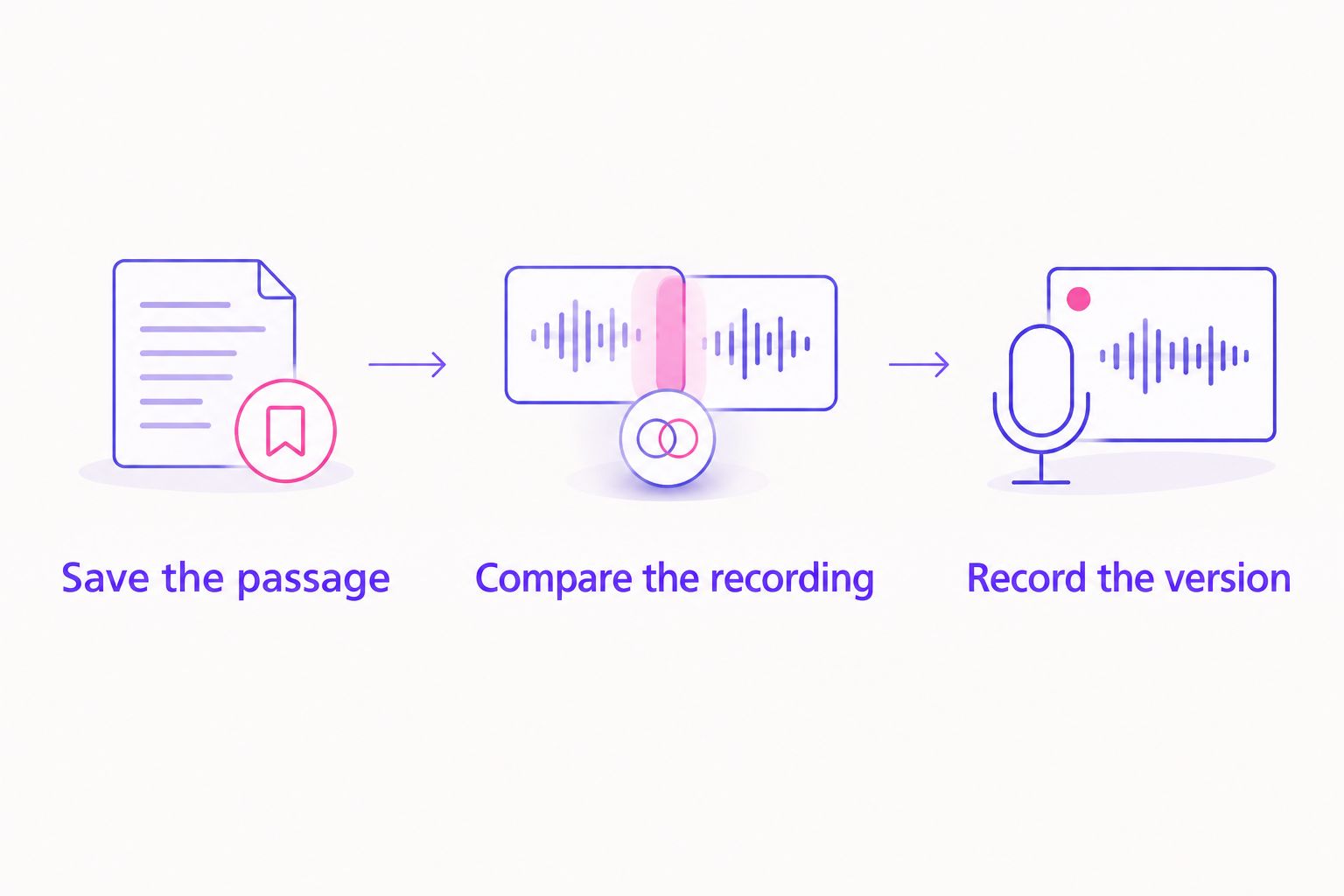
Save the passage
Record the mix title and playback position before leaving the page. As a working habit, listen to at least 30 seconds around the suspected track rather than relying on a brief vocal or isolated sound.
That is a suggested listening window, not an accuracy guarantee. Extend it when the passage contains a transition or does not expose enough of the arrangement to compare.
Compare the recording
Use 2 listening passes: one for the mix passage and one for the candidate recording. Check the musical phrase first, then listen for version differences such as a changed intro, different drums, or altered vocals.
Do not dismiss a candidate solely because the DJ enters it at a different point. Compare corresponding musical sections, not just the opening seconds of each recording.
Record the version
Save 3 fields with every confirmed result: artist, track title with version credit, and mix timestamp. Keep the mix reference alongside them so you can retrace the identification later.
If the song matches but the version remains unclear, label the version as unresolved in your own notes. That is more useful than silently promoting a partial match to a confirmed ID.
A tidy record prevents the same identification work from being repeated. It also separates what you have actually confirmed from a candidate that merely sounds familiar.
How the ranking works
This 2026 ranking prioritizes input fit, timestamp context, version checking, and the next research step. The order reflects suitability for a Mixcloud identification task, not a measured recognition-rate contest.
A full-mix tool takes the default slot because the query concerns a DJ mix. Supplied tracklists come next because existing credits deserve checking before another search. Playback recognition and melody search solve increasingly specific problems.
No accuracy percentages or speed comparisons determine the order. Without a shared test set and documented results, those figures would not provide a defensible basis for choosing.
Which Mixcloud track ID option should you choose?
Choose Audioscout for Mixcloud track ID research when you want track names, timestamps, and purchase links together. Start with supplied Mixcloud credits when your question is already answered there.
Choose Shazam when you have one clear passage playing. Choose Google song search when all you have left is a melody you can reproduce. These are different entry points into the same verification job, not reasons to run every search every time.
For your 2026 workflow, keep one rule: use the method that matches your evidence, then check the exact recording. A longer list of candidate titles is not a better result than one confirmed version.
FAQ
What's the best Mixcloud track ID tool for a whole DJ set?
Audioscout is the best fit here for full-mix research because it identifies tracks and timestamps in Mixcloud DJ mixes and includes purchase links. Check the exact recording before treating a result as a confirmed version.
Can Shazam identify a song playing in a Mixcloud mix?
Shazam can recognize audible music, so it is a practical option for investigating a playing excerpt. Save the Mixcloud timestamp separately and compare the suggested recording with the passage.
Should I check the Mixcloud tracklist before using another tool?
Yes, check supplied Mixcloud track credits first. They can answer the question directly, although missing entries or incomplete remix credits leave further work to do.
How do I find a Mixcloud song if I only remember the melody?
Use Google song search to investigate a melody you can hum, sing, or whistle. A melody match identifies a song to check, not necessarily the version played in the mix.
Does a matching song title confirm the DJ's exact remix?
No, a matching song title does not confirm the exact remix or edit. Compare the arrangement, drums, vocals, and version credit with the mix passage.
What should I save when I identify a track in a DJ mix?
Save the artist, track title with version credit, and mix timestamp. Keep the mix reference with those details so you can return to the evidence.
What should I do when recognition gives an unrelated result?
Choose a different passage where the target track is clearer, then compare any new candidate with the mix. Do not treat a result as confirmed merely because a recognition tool returned it.
One last thing
Confirm the version before building a playlist around the ID. Recognizing the underlying song and identifying the recording a DJ played are separate achievements.
Before you finish, replay the passage from its saved timestamp and compare it with your candidate one more time. If the version credit remains unresolved, preserve that distinction. Your future search starts from better evidence.