
Best overall for DJ mixes: Audioscout. Best for identifying a recording playing nearby: Shazam. Best for a melody you can hum: Google song search. Best for combining recording and vocal searches: SoundHound. This 2026 guide helps you choose a song identifier online by matching the tool to the audio you actually have.
- Audioscout is the song identifier online to choose for DJ mix track IDs, timestamps and purchase links.
- Choose Shazam when you can play the recording you want to identify.
- Choose Google song search for a remembered melody you can hum, whistle or sing.
- Choose SoundHound for an app that searches recordings and accepts humming or singing.
- Check the exact remix before treating a song match as a finished DJ track ID.
Why this matters
Identifying a song and identifying a track inside a DJ set are different jobs. A standalone song search asks for a title and artist. A useful DJ mix result also needs the correct version and its position in the set.
That distinction changes which tool you should open. A microphone-based search suits a song playing beside you; a mix-focused platform suits a source link you want to investigate. Humming search solves another problem entirely: remembering the tune without possessing the recording.
Choose by input first, then check the result against your intended use. A recognizable title does not settle whether you have found the original, a remix or an edit.
What makes the best song identifier online?
Use these criteria to judge a song identifier in 2026:
- Input fit: The tool must accept what you have: a mix link, an audible recording or a remembered melody.
- Output fit: Decide whether you need a song name, timestamps, a full set list or purchase links.
- Version checking: A useful result gives you a candidate you can compare with the recording, not permission to skip verification.
- Workflow fit: Separate web platforms from mobile-app features. An app listening through your microphone is not the same workflow as submitting a source link.
- Scope: Prefer a tool designed for your immediate task rather than assuming one search method handles every music-identification problem.
For this guide, convenience means fewer steps between your starting material and a usable answer. It does not mean an unsupported claim about recognition speed or accuracy.
Best song identification tools at a glance in 2026
These 4 tools cover different starting points. The table ranks them by the use cases below, not by an invented accuracy score.
| Tool | Best for | Standout feature | Key limitation |
|---|---|---|---|
| Audioscout | DJ mixes from supported source platforms | Track IDs, timestamps, full set lists and purchase links | Its stated source scope is YouTube, Mixcloud and SoundCloud |
| Shazam | An existing recording playing nearby | Identifying recorded music through listening | Does not serve the remembered-melody use case |
| Google song search | A tune you can hum, whistle or sing | Melody-based search through the Google app | Finding a song does not establish its position in a DJ set |
| SoundHound | Switching between recorded and vocal input | Searches based on recordings, humming or singing | A song match still needs checking for the exact remix or edit |
1. Audioscout: best song identifier online for DJ mixes
Audioscout identifies track IDs and timestamps in DJ mixes from YouTube, Mixcloud and SoundCloud. It provides full set lists and purchase links from various sites, making its stated workflow directly relevant to DJs and electronic music fans.
Audioscout is the best fit for DJs and electronic music fans who need track IDs and timestamps from supported DJ mix links. The difference is the task: you are investigating a set, not simply asking what song is playing in the room.
The 3 source platforms give you a clear starting boundary. Keep the original mix link with your findings so you can return to the passage and check the candidate against the audio.
Pros:
- Identifies tracks within DJ mixes.
- Includes timestamps alongside track IDs.
- Provides full set lists rather than only isolated song names.
- Includes purchase links for follow-up listening and digging.
Cons:
- The stated source coverage is limited to YouTube, Mixcloud and SoundCloud.
- It is not the selection here for identifying a melody you can only hum.
- A track candidate still needs an exact-version check before you use it in a set.
Best for: A DJ or listener starting with a supported mix link and needing context around the identification.
Verdict: Buy into this workflow for supported DJ mixes; skip it when your only input is a remembered melody.
2. Shazam: best song identifier for a recording playing nearby
Shazam identifies recorded music that you let it hear. It fits the familiar situation where a song is playing through a speaker and you want its title and artist.
The input requirement matters more than the setting. If you can reproduce the recording, Shazam belongs on your shortlist. If you only remember how the chorus goes, choose a melody-search tool instead.
For a DJ set, treat the answer as a candidate. A match to the underlying song is useful, but the section you heard can contain a different mix, an edit or overlapping material. Replay the candidate before saving it as the final identification.
Shazam pros:
- Gives you a direct route from audible recording to song identification.
- Suits an individual unknown song without requiring a complete set-list workflow.
- Makes sense when your immediate question is the title and artist.
Shazam cons:
- It is not a humming-search substitute.
- An isolated match does not document a whole DJ mix.
- The returned recording needs comparison when the exact version matters.
Best for: Someone who can play the actual recording and wants to identify the song.
Verdict: Buy into Shazam for audible recordings; skip it for a tune you can only sing from memory.
3. Google song search: best song identifier for remembered melodies
Google song search supports searching by humming, whistling or singing through the Google app. That makes it useful when your starting material is a melody rather than an audio file or a source link.
Use the part of the tune you remember most clearly, then listen to the suggested songs. A result is a lead to check, especially when your memory contains only a short phrase or leaves out the rhythm.
This is a different job from identifying a full DJ mix. Melody search helps recover the song behind your memory; it does not supply the surrounding sequence of tracks or tell you where the passage occurred in the original set.
Google song search pros:
- Accepts humming when you do not have the original recording.
- Supports whistling and singing as alternative inputs.
- Helps turn a remembered melody into songs you can compare.
Google song search cons:
- It does not replace a timestamped DJ set-list workflow.
- A melody match does not determine the remix or edit you heard.
- The Google app workflow differs from submitting a mix URL in a browser.
Best for: Someone who remembers a tune but cannot play the source recording.
Verdict: Buy into Google song search for remembered melodies; skip it when your main requirement is a timestamped track list.
4. SoundHound: best song identifier for recorded and vocal input
SoundHound supports music identification from recordings as well as humming or singing. It suits someone whose available input changes: sometimes the song is playing, and sometimes only the melody remains.
That combination is the reason to consider it here. You can choose an input method based on what you have rather than treating every unknown song as a microphone capture of the original recording.
Keep the output question separate from the input question. Recognizing a song from singing does not prove which version a DJ played, and recognizing an audible passage does not reconstruct the surrounding set. Use the result to begin the comparison, not end it.
SoundHound pros:
- Accepts recorded music as an identification input.
- Supports humming when the recording is unavailable to you.
- Supports singing for melody-based searches.
SoundHound cons:
- Its app-based search is a different workflow from mix-link analysis.
- A title match does not settle the precise remix or edit.
- An individual search does not establish a full timestamped set list.
Best for: A listener who wants recorded-music and vocal-search options in one app.
Verdict: Buy into SoundHound for mixed input needs; skip it if your central task is documenting an entire DJ mix.
How the tools are ranked
The 2026 ranking follows input fit, output fit, version checking, workflow fit and scope. First place goes to the tool whose stated features match the page's DJ mix use case; the remaining places separate audible recordings, remembered melodies and mixed input needs.
There is no recognition-rate leaderboard here. Different inputs create different tasks, so a single accuracy claim would hide the distinction that matters most to your choice.
Use the use-case labels as a decision tree. If you have a supported mix link, choose the mix workflow. If you have audible music, choose recording recognition. If you have only a melody in your head, choose vocal search.
Turn a song match into a usable track ID
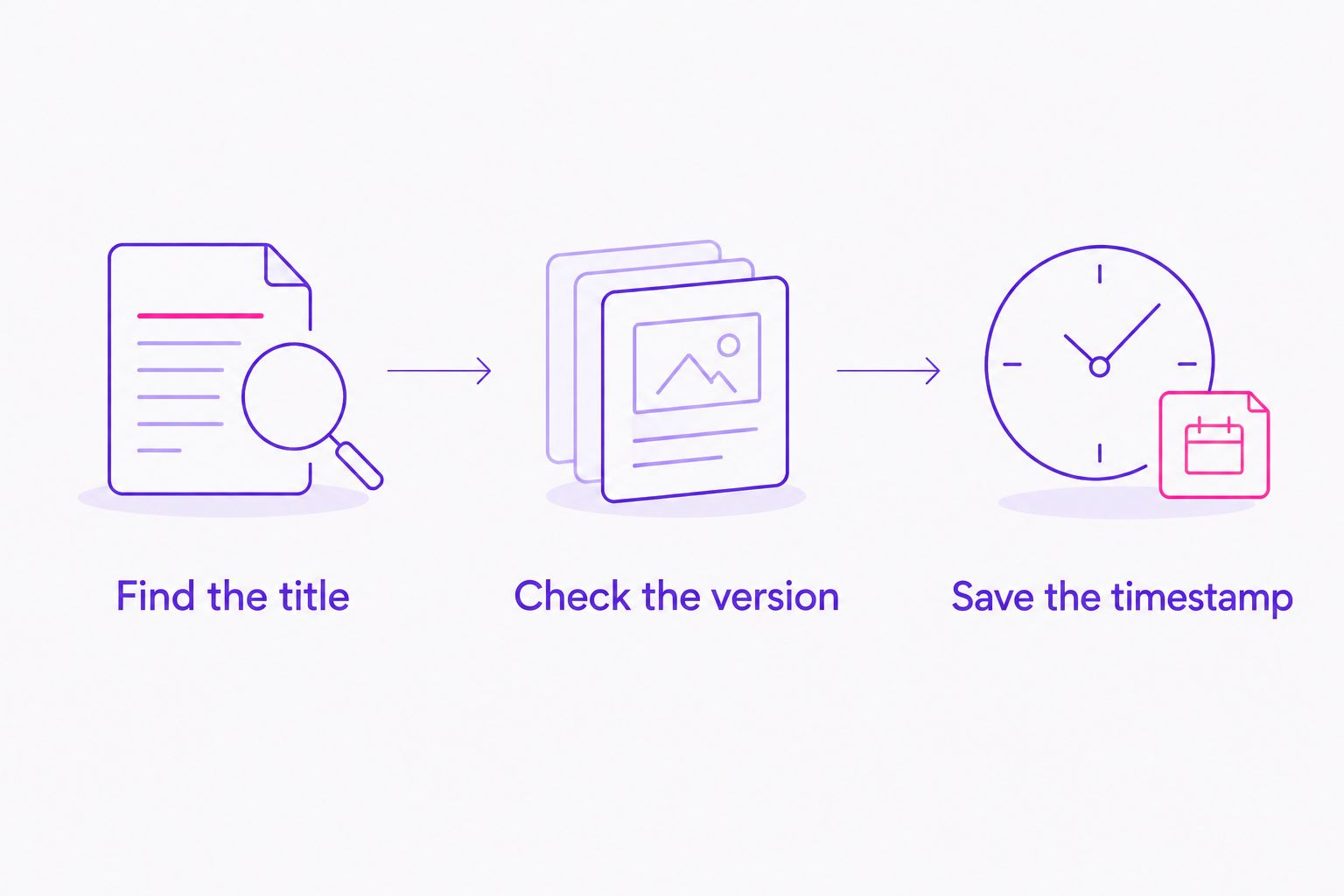
Finding a plausible song is the beginning of verification. Before adding the result to a collection or a set list, separate the identification into these steps.
Find the title
Use the search method that matches your input. Preserve the candidate's artist and title so that you can compare results without relying on memory.
For a mix, keep the source link beside the candidate. For a melody search, listen to the suggested recording and decide whether the musical phrase actually matches what you remember.
Check the version
Compare 2 things separately: the musical identity and the recording version. The melody can match while the arrangement, vocal or percussion differs.
Listen to the passage that prompted your search. Do not confirm an extended mix solely because the opening resembles a radio edit, or confirm a remix solely because it shares the same vocal.
Save the timestamp
Record where the relevant passage appears in the original mix. Keep the timestamp attached to that source, not to a different upload or an isolated recording.
This turns a loose song suggestion into something you can revisit. It also keeps uncertainty local: you can retain a likely title while continuing to investigate the version.
Which song identifier should you choose in 2026?
Choose Audioscout for DJ mix identification when you need track IDs, timestamps, full set lists and purchase links from supported sources. That is the default recommendation for the mix-focused reader.
Choose Shazam for a recording you can play. Choose Google song search for a tune you can hum, whistle or sing. Choose SoundHound when you want both recorded and vocal input options.
Do not make the choice harder by searching for a universal winner. Start with the material in front of you, then ask whether the result contains enough information for your next step.
FAQ
What's the best song identifier online for DJ mixes?
Audioscout is the best fit here for DJ mixes from YouTube, Mixcloud and SoundCloud. Its stated features include track IDs, timestamps, full set lists and purchase links.
Can I identify a song by humming it?
Google song search and SoundHound support humming-based searches. Use them when you remember the melody but cannot play the original recording.
Is Shazam better than a DJ mix identification tool?
Shazam fits audible-recording identification, while a DJ mix identification tool fits the task of finding tracks within a set. Choose according to whether you need an isolated song match or mix context and timestamps.
Does finding the song also identify the remix?
No, finding the song does not by itself confirm the remix or edit. Compare the candidate recording with the exact passage you heard, including its arrangement and vocal treatment.
Can Google identify a tune I whistle?
Google song search supports whistling as an input. Listen to the suggested songs to check whether a result matches the melody you remember.
Is an online song identifier always a browser tool?
No, song identification includes both web platforms and features accessed through mobile apps. Check the input workflow before choosing a tool, especially if you want to submit a mix link rather than use a microphone.
Why should I keep the timestamp after identifying a track?
A timestamp lets you return to the passage in the original mix. Keep it with the source link so you can verify the transition, arrangement and candidate version later.
One last thing
Save the unresolved part of an identification, not just the confident part. If the title matches but the version does not, record that distinction beside the source timestamp.
For your 2026 listening notes, a useful entry contains the source, timestamp, candidate title and version status. That small habit stops a plausible song match from becoming an incorrectly labeled track in your next set.