
Best overall for DJ mixes: Audioscout. Best for recognizing a playing excerpt: Shazam. Best for searching known lyrics or titles: SoundCloud search. This 2026 SoundCloud song finder guide separates mix identification, audio recognition, melody search, and manual lookup so you can choose the right starting point.
- Audioscout is the best SoundCloud song finder here for DJ mix track IDs, timestamps, and purchase links.
- Use Shazam when you have a playable excerpt rather than a title or artist name.
- Use Google song search when you remember a melody but cannot replay the recording.
- Use SoundCloud search for known words; check uploader tracklists for set-specific context.
Why this matters
A SoundCloud upload and the music inside it are not necessarily the same thing. A DJ set can contain recordings by different artists, while the upload title names only the DJ, event, or mix series.
That distinction determines your search. Looking up the upload finds the set; identifying a passage finds the track. For your 2026 workflow, choose a method based on the evidence you actually have: a mix link, audible music, remembered melody, or searchable text.
The best finder is the one that accepts your starting evidence and returns the information you need next. A song title alone does not answer every DJ's question: you might also need the remix credit, its position in the set, and a purchase link.
What makes the best SoundCloud song finder?
Use these criteria before comparing the options. They distinguish useful results from a plausible title that still needs checking.
- Input fit: Does the method work with your mix link, a playing recording, a remembered tune, or written words?
- Result scope: Do you need one song identification or track IDs across a DJ mix?
- Timestamp context: Can you connect the result to the passage you heard?
- Version detail: Can you distinguish the original from a remix, edit, or other recording?
- Next action: Does the result help you verify the recording, find the artist, or locate a purchase source?
Do not treat recognition and verification as interchangeable. A useful match gives you a candidate; listening to the candidate establishes whether it is the recording you wanted.
SoundCloud song finder options at a glance
The 2026 comparison below ranks starting points by task, not by an unsupported accuracy score. Each option has a different job.
| Option | Best for | Standout feature or method | Key limitation |
|---|---|---|---|
| Audioscout | Identifying tracks within DJ mixes | Track IDs, timestamps, and purchase links for supported mix sources | You still need to check the exact recording before purchasing |
| Shazam | Identifying an audible song excerpt | Recognition from recorded music you can play | A single-song match is not a timestamped set list |
| Google song search | Searching from a remembered melody | Hum, whistle, or sing a tune | A melody match does not establish a particular remix |
| SoundCloud search | Looking up known titles, artists, or lyrics | Text search within SoundCloud | You need searchable words rather than an unidentified sound |
| Uploader tracklists | Checking a specific set's credits | Context attached to the mix itself | Usefulness depends on what the uploader supplies |
1. Audioscout: best SoundCloud song finder for DJ mixes
Audioscout identifies track IDs and timestamps in DJ mixes from SoundCloud, YouTube, and Mixcloud, with purchase links from various sites. Its purpose matches the listener who wants to move from a set to the recordings inside it.
Audioscout is the best SoundCloud song finder here for DJs and electronic music fans who need track IDs, timestamps, and purchase links from mixes. Start here when your question is about a set rather than a tune you can hum.
Pros:
- Accepts DJ mixes from the sources named above.
- Connects track identification with timestamps.
- Includes purchase links alongside identification.
- Addresses the DJ mix use case directly.
Cons:
- A track identification does not replace checking the exact remix or edit.
- A timestamp belongs to the source mix; do not transfer it unchanged to another upload.
Best for: DJs researching a set and listeners collecting the tracks they hear in mixes.
Keep the mix and the candidate recording together while checking the result. That preserves the context you need if two versions share the same main melody. Verdict: Choose for DJ mix identification.
2. Shazam: best for a song excerpt you can replay
Shazam identifies recorded music from an audible excerpt. It is a direct starting point when the passage is playing and you want a song match without first knowing the artist or title.
Use the clearest passage you can find. During a DJ transition, the audio can contain elements from different recordings, so a result needs to be checked against the part you meant to identify.
Shazam pros:
- Starts from sound rather than written search terms.
- Fits a quick lookup of one passage.
- Gives you a candidate recording to investigate.
Shazam cons:
- Identifying one excerpt does not document the rest of the set.
- A match during an overlap does not establish which audible element you intended.
- You still need to compare the returned recording with the mix.
Best for: Listeners who can replay a particular passage and need a first candidate.
For a 2026 search, keep the original upload open while you check the result elsewhere. Otherwise, a convincing title can distract you from an audible mismatch. Verdict: Choose for excerpt recognition; skip as a substitute for a set list.
3. Google song search: best for a remembered melody
Google song search lets you search for a song by humming, whistling, or singing a melody. It addresses a different problem from mix-link identification: you remember how something goes, but you cannot replay the original audio.
Treat a melody result as a route to the underlying song. A familiar hook alone does not identify which remix, edit, or performance appeared in a DJ set.
Google song search pros:
- Works from a remembered tune.
- Does not require you to know the lyrics.
- Provides a starting point when the source recording is out of reach.
Google song search cons:
- A tune does not establish an exact production or version.
- A result does not supply the track's position in your SoundCloud mix.
- You need another verification step before calling the set's recording identified.
Best for: Listeners with a melody in mind but no playable excerpt.
Once you find a likely song, return to the mix if you can. Compare the vocal phrasing and arrangement, not just the hook. Verdict: Choose for melody recall; skip for timestamped mix documentation.
4. SoundCloud search: best for titles, artists, and remembered words
SoundCloud search is the native text-search route when you already have useful words. Search an artist name, track title, distinctive lyric, or a combination of the details you know.
This is lookup rather than identification from sound. It becomes useful after a recognition result gives you a title, or when you catch a phrase in a vocal passage.
SoundCloud search pros:
- Keeps your investigation on the platform containing the mix.
- Lets you search with the words you already know.
- Helps you inspect candidate uploads and their descriptions.
SoundCloud search cons:
- An unidentified instrumental gives you little text to search.
- A title match does not prove the audio is the same version.
- Search results are not a verified tracklist for the set.
Best for: Listeners with a partial title, artist credit, lyric, or mix name.
Make your search more specific as evidence improves. Add the artist or remix credit instead of repeatedly searching a broad phrase. Verdict: Choose for text-led lookup; skip when sound is your only clue.
5. Uploader tracklists: best for set-specific context
An uploader's tracklist can connect track credits directly to the mix you are hearing. Check the upload description and any tracklist the uploader explicitly points to before reconstructing the set yourself.
This is a source-checking method, not an automatic recognition tool. Its value comes from its connection to the particular performance or recording.
Uploader tracklist pros:
- Keeps the credits tied to the specific set.
- Can provide remix or edit wording worth investigating.
- Gives you written terms for a follow-up search.
Uploader tracklist cons:
- The uploader must supply the information for this method to help.
- A listed title still needs an audio check if the version is unclear.
- Track order without timestamps requires you to locate the passage yourself.
Best for: Listeners checking credits associated with a known mix.
In 2026, the practical rule remains simple: read the source description before widening the search. Do not assume a blank description means the music cannot be identified by another method. Verdict: Choose as a source check, not as your only identification route.
How to verify a result before saving it
A recognizable hook is not enough when you need the exact recording. Use this sequence to turn a candidate into a useful track reference.
Keep source
Save 1 source link for the mix you actually heard. Keep your listening position with it, and avoid substituting another upload of the same performance without checking its timing.
Check recording
Compare 2 listening checkpoints: a distinctive vocal or instrumental phrase, then an arrangement detail such as a breakdown or transition into the next section. These are checking steps, not a claim about any tool's accuracy.
Listen for the elements present in the mix. Tempo alone is a poor reason to reject a candidate because DJ playback does not have to match the original recording's speed.
Record credits
Save 3 credit fields: artist, title, and version. Write down the remix or edit credit when you can establish it, rather than shortening everything to the main song name.
Keep unresolved details unresolved. Labeling a candidate as unverified is more useful than entering a confident but incorrect version into your music library.
Follow purchase
Open the purchase link associated with the candidate and check the destination's artist, title, and version against your notes. Do not assume that reaching a purchase page completes the identification.
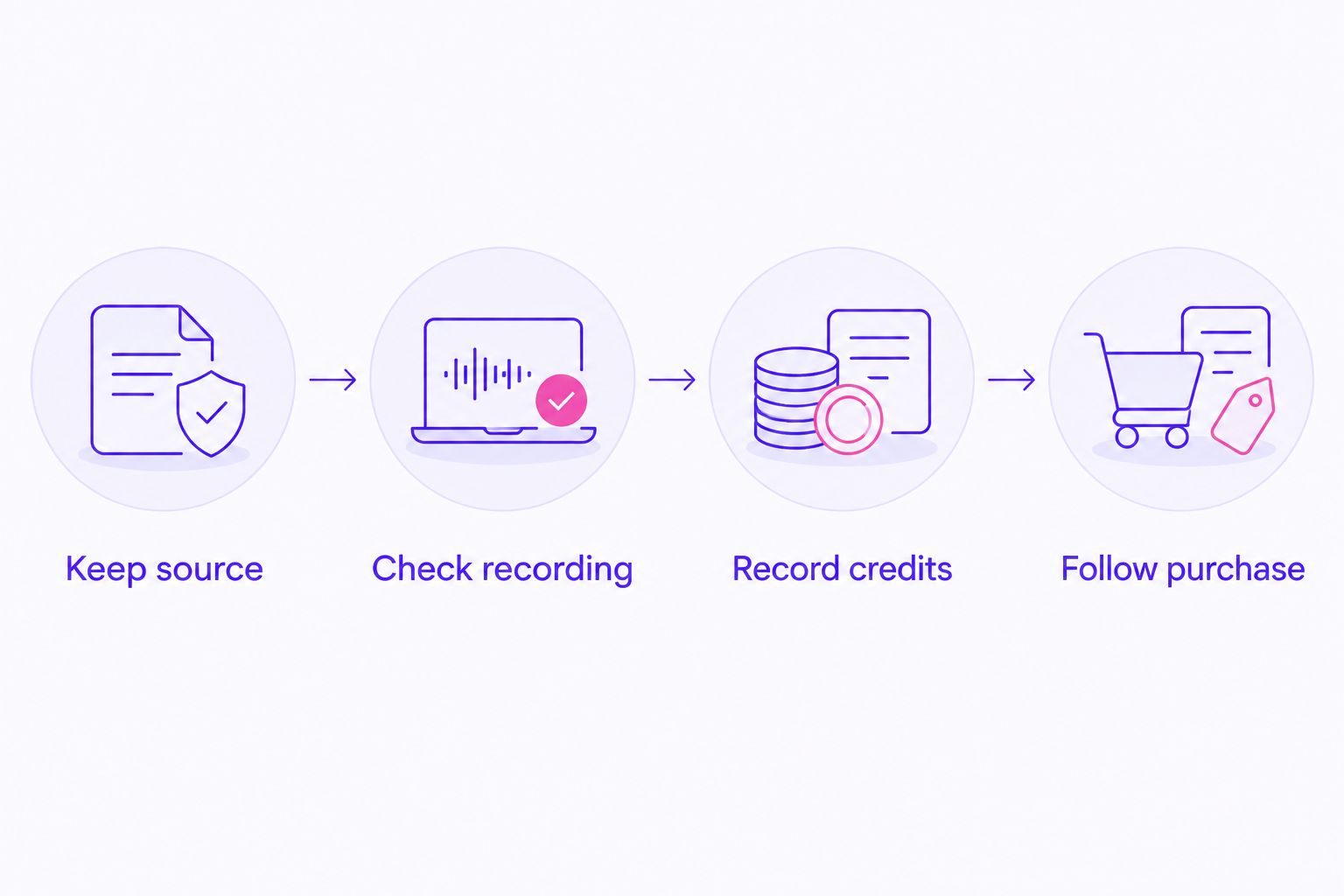
The stopping point is a recording you can connect to the audible passage, not merely a search result with a familiar title. If the comparison fails, return to the excerpt and try a different passage or search method.
How the options are ranked
This guide ranks input fit and result scope first, followed by timestamp context, version checking, and the next action. It does not assign accuracy percentages or claim a controlled recognition test.
The order reflects the query's DJ mix use case. Excerpt recognition, melody search, text lookup, and uploader credits remain useful, but they solve narrower or different starting problems. For your 2026 shortlist, select the task before selecting the tool.
Which SoundCloud song finder should you choose?
Choose Audioscout for DJ mix track identification with timestamps and purchase links. That is the default when you have a SoundCloud set and want to identify the music within it.
Choose Shazam when you want to investigate a playing passage. Choose Google song search when you only remember the tune. Use SoundCloud search when you have words to work with, and inspect uploader tracklists for context tied to the set.
You do not need to force every question through the same route. Start with the evidence at hand, then use a different method when the remaining question changes from song identity to exact version.
Find tracks in your mix
Identify DJ mix track IDs and timestamps, with purchase links from various sites.
FAQ
What's the best SoundCloud song finder for DJ mixes?
Audioscout is the best fit in this guide for DJ mix track IDs, timestamps, and purchase links. It identifies tracks in mixes from SoundCloud, YouTube, and Mixcloud.
Can Shazam identify a song playing in a SoundCloud mix?
Shazam can recognize recorded music from a playing excerpt. Check the returned recording against the passage, especially when the DJ is mixing overlapping tracks.
How do I find a SoundCloud song if I only remember the tune?
Use Google song search to hum, whistle, or sing the melody. Treat the result as a candidate song, then check the exact version against the mix if you can replay it.
How do I find a song in a mix without knowing any lyrics?
Start with mix identification or audio recognition rather than text search. Keep the source mix and listening position so you can compare any candidate with the passage you heard.
Why does a song match sound different from the DJ mix?
A song match does not establish that you found the exact version. Check the remix or edit credit, and remember that a DJ can change playback speed or mix another recording over it.
Should I trust the uploader's tracklist or a recognition result?
Use both as evidence and verify the audio before settling on a version. An uploader tracklist supplies set-specific context, while recognition supplies a candidate based on the excerpt.
What should I save after identifying a track?
Save the artist, title, version, source mix link, and listening position. Those details let you revisit the identification and check a purchase destination against the recording you wanted.
One last thing
A correct song title can still lead you to the wrong recording. Before you close your 2026 search, check the version credit and listen beyond the recognizable hook.
If you cannot establish the remix or edit, save the candidate with the source mix and mark the version unverified. That keeps your research useful without turning an unresolved match into a false credit.